How to buy from the Sugargoo spreadsheet.
Watch the short video to place your order. Use the sections below for sizing, a CAD budget and delivery to Canada.
C$Planning your first order?Add up your budget in CAD →The video could not load. Open the video file or read the ordering steps.
Jump to a video chapter7 chapters
The video covers ordering and checkout. Prices and services shown may have changed.
Place your first order
Keep the seller link, colour and size handy while you order.
New to Sugargoo? Create an account ↗
- 01
Choose an item
Open the spreadsheet listing and follow its seller link. Check the available colours, sizes and seller notes.
- 02
Open it on Sugargoo
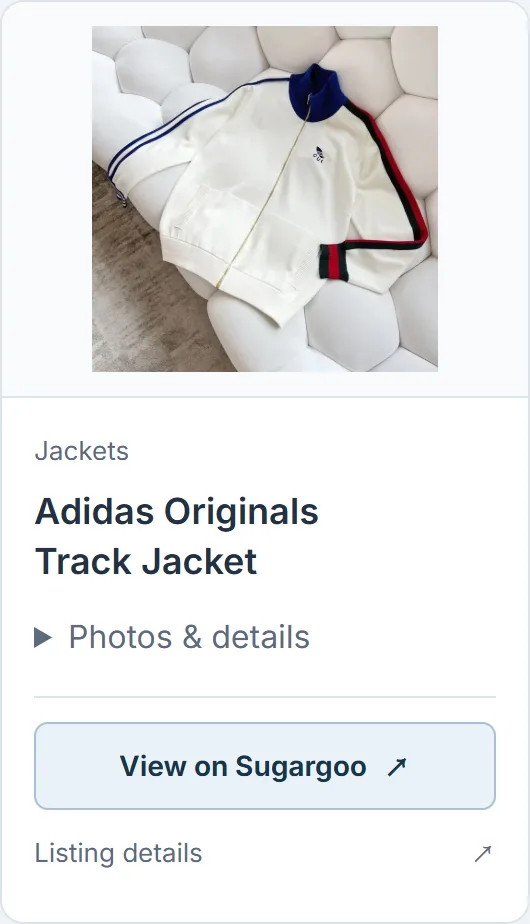
Use “View on Sugargoo” on a selected product. If the item does not open after sign-in, return to its card, open the details and copy the original product link into Sugargoo’s search. For other spreadsheet listings, use the seller link provided there. Check that the loaded item matches your choice.
- 03
Confirm your options
Select the size, colour and quantity. Use the seller’s measurements before adding the item to your order.
- 04
Review and pay
Check the order amount and selected services. After checkout, keep your order reference for the warehouse and delivery steps.
Sugargoo handles orders, payments and warehouse services. Plan the international delivery cost separately.
What happens after “View on Sugargoo”? +
Sign in if asked
“View on Sugargoo” opens the product link on Sugargoo. You may see a sign-in or registration screen first. If you finish signing in and land on the home page, return to the product card and select “View on Sugargoo” again.
Check the item and options
Compare the item with the listing you chose. Select your colour, size and quantity, then check the current price. The link does not choose these options or place an order for you.
If the item does not load
Return to the card and open “Listing details”. Copy the seller’s product link from that page and paste it into Sugargoo’s search. If the original listing is unavailable, choose another item and check its details.
Ordering for Canada? Add the costs to your CAD budget, keeping international delivery separate from the item price.
Check the size chart
Use measurements in centimetres and confirm how the seller measures the item.
Clothing: compare like for like
Measure a garment that fits you and keep the results in centimetres. Compare the same chest, body and sleeve points with the seller’s chart; do not compare a flat garment width with a body measurement.
Check the chart headings: if it is unclear whether a number is a flat width or a circumference, ask the seller before choosing a size.
Shoes: check the size system
Confirm whether the selected option uses US men’s, US women’s, EU or another size system. Use that seller's chart and ask which foot or footbed measurement it refers to.
Size charts vary: the same size label can fit differently across models. Ask for a measurement if the chart is unclear.
Sets and children's clothing
For a matching set, record the measurements of the top and bottom separately. Confirm the pieces included in the selected option before adding the price to your budget.
For children’s sizes: use measurements from clothes that fit now. Check the chart’s units and any care or fastening information provided by the seller.
Add up your order budget
Enter your checkout or quoted amounts and choose the currency for each one. CNY is Chinese yuan (RMB); CAD is Canadian dollars. Yuan amounts convert automatically using an online reference rate. Leave unknown costs blank.
Match each currency to your quote. Use 0 only for a confirmed zero charge, and add conversion fees only if they are not already included. Get an official shipping estimate ↗
See a CAD budget example +
A small order, before international shipping
Illustrative amounts in CAD. Use your own checkout amounts and shipping quote.
- Products
- C$45.00
- Delivery in China
- C$6.00
- Optional services
- C$4.00
- Known subtotal
- C$55.00
What is still missing?
International delivery, payment or conversion fees, and any import or handling charges. Keep them blank until you know the amounts.
All amounts in this example are already in CAD. For your own quote, select each amount’s currency and enter a conversion rate if needed. A blank field stays unknown; it does not count as a free service.
How to check shipping to Canada +

Choose your destination
Select Canada, your province or territory, and the category that matches your items.
Enter the parcel measurements
Use grams for weight and centimetres for dimensions. 1 kg is 1,000 g. Ask the warehouse for packed measurements if you do not have them.
Read the route details
After selecting Estimate, check the charging rules, item restrictions and currency. Confirm the final charge for your packed parcel.
Open Sugargoo’s calculator ↗Convert confirmed costs to CAD for the worksheet. Leave unknown amounts blank.
Request a photo or measurement
Compare your selected option with your own order photos before approving parcel preparation.
Copy the message, then replace the brackets with your order details and the measurements you need.
A message you can send to Sugargoo
Include the order’s item, colour and size, then name the view or measurement you need. Check that the reply refers to the same option.
My order is [item, colour, size]. Please measure [chest width / body length / sleeve / inside leg] in centimetres, with the start and end of the tape visible. I also need a close-up of [detail] before I decide about shipping.
For shoes, ask which US, EU or other size chart the seller uses and request the relevant footbed measurement. Use the measurements to compare fit; photos cannot prove authenticity.
Arrange delivery to Canada
Use the actual packed weight, dimensions and delivery address to compare available routes.
Parcel and route checks
- Confirm the recipient, unit and street address, city, province or territory, postal code and contact details. Use Canada Post’s address format and check that the route serves your postal code.
- Use packed weight and dimensions when requesting the final quote. Check whether the route charges by actual or volumetric weight.
- Tell Sugargoo if the parcel contains a liquid or a battery. Confirm that the selected route accepts every item.
- Keep the quote, included services and parcel reference with your order record. These are the details support will need if you query a charge or delay.
Allow for import charges
Items mailed to Canada may attract duties and taxes. The goods, their value and origin, and your province or territory can affect the charges. Ask which taxes and carrier fees are already included in your shipping quote.
Declare the contents and value accurately. Check the current CBSA guidance for your shipment; this worksheet does not calculate tax or confirm eligibility for an exemption.
Official guidance reviewed .
Sending to an apartment or a French-language address? +
Include the unit number
If your apartment is 12 and the building number is 345, the start of a single street-address line can read 12-345. Canada Post accepts the unit before the building number with a hyphen. Keep the unit number in the final shipping label.
If the checkout has a separate apartment field, enter it there and check the combined address before submitting.
Keep the official address spelling
Do not translate a street or city name. For example, keep Trois-Rivières as written. Use your province or territory, and write the postal code in uppercase with a space in the middle, in the format A1A 1A1.
Canada Post: address format ↗Reviewed
Compare Canada shipping routes
See past delivery times, buyer reports and the details to include when asking for a shipping quote.
Read the Canada shipping guide →Save your order records
Keep the seller link, payment receipt, order photos and shipping quote together.
| Stage | What to keep | Why it matters |
|---|---|---|
| Choose the item | Seller link, source item ID, option and size chart | Use these to check that the warehouse item matches your choice. |
| Record the payment | Amount charged, currency and any separate fees | Record the original currency or the actual CAD amount paid. Do not count an included fee twice. |
| Review QC | Your order photos, requested measurements and unresolved questions | Follow up while the item is still at the warehouse. |
| Arrange Canada delivery | Packed dimensions, route quote, included charges and full postal address | Compare the actual route offer with the parcel you are sending. |
Use the CAD worksheet for amounts you know and the Canada shipping guide for route reports and original sources.
Choose an item from the spreadsheet
Save the product link and use this guide as you place your order.